Candidate Inbox
Our Inbox feature is very similar to your email inbox. It's where you can find all candidate communication in one place, ordered from most to least recent.
About the Candidate Inbox
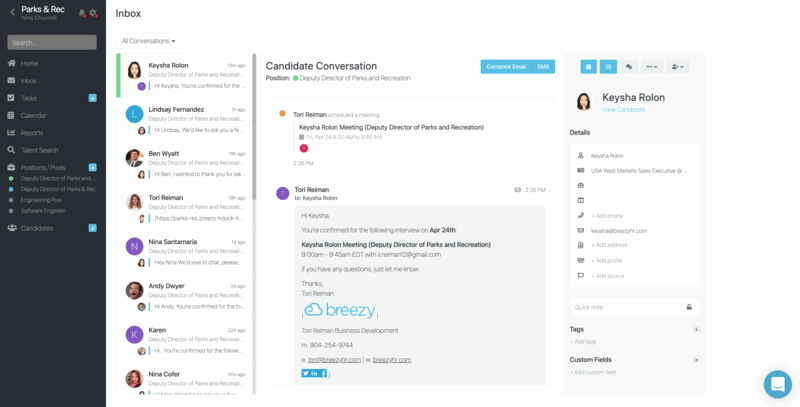
To see all candidate communication, click Inbox in the left sidebar. There you will find candidate communication for all positions in which you are an assigned hiring manager.
The left-hand column showcases your most recent communication. Your candidate's name and photo are the most prominent focal point. When they have sent the last message, their information is all you will see. When you or someone from your team sent the last message, a preview of it will appear below the candidate's name. This makes it easy to distinguish which candidates most need your attention.
Messaging per Position
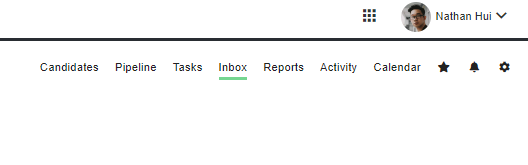
To see only messages related to a particular position, open the desired position then click the Inbox link in the upper right-hand corner.
Communicating via Inbox
You can use your Inbox to send unique or templated messages directly to candidates, with the ability to add attachments when needed. Both your outgoing and their incoming messages are visible, along with updates on any actions taken, like scheduling an interview.
All previous conversations are captured and easily accessible by scrolling down. You can see all historical communication directly in the window, including any messages sent by another teammate. This helps prevent overlapping communication to the candidate.
To view a candidate's full information, click the View Candidate link. This will open their card within the Inbox, allowing you to browse and edit.
